Your calendar is lying to you.
It says you have “time to work” between meetings, but what you actually have is 23 minutes of fragmented attention where you’ll check email twice, get interrupted once, and accomplish nothing meaningful. Then you wonder why you’re working until 8 PM to finish what should’ve taken two hours.
Time blocking fixes this. It’s the difference between hoping you’ll find time for important work and actually protecting it. Harvard Business Review calls it the single most effective productivity technique, and once you see how it works, you’ll understand why.
What Time Blocking Actually Is
Time blocking means scheduling specific blocks of time for specific tasks. Instead of keeping a to-do list and hoping you’ll get to everything, you assign each task a dedicated time slot on your calendar.
Not time blocking:
- 9:00 AM: “Work on project”
- To-do list: “Finish report, reply to emails, review budget”
Time blocking:
- 9:00-11:00 AM: Write first draft of Q1 report (no email, no Slack)
- 11:00-11:30 AM: Process inbox to zero
- 11:30 AM-12:00 PM: Review budget spreadsheet
The difference is specificity and protection. When you block time, you’re making a commitment to yourself about what you’ll work on and when. No multitasking. No “I’ll just quickly check this.” You do the thing you said you’d do.
Time Blocking vs. Time Boxing
People often confuse these two techniques. Here’s the distinction:
Time blocking is about scheduling your entire day in advance. You look at your week and assign specific time slots to specific tasks. It’s proactive planning.
Time boxing is about setting a fixed time limit for a task. “I’ll spend exactly 30 minutes on this email, then move on.” It’s a constraint technique to prevent perfectionism and Parkinson’s Law.
You can use both together. Time block your day, then time box individual tasks within those blocks.
Why Time Blocking Works
Three reasons this technique is so effective:
It eliminates decision fatigue. When 2 PM arrives, you don’t waste mental energy deciding what to work on. You already decided yesterday. You just start.
It protects deep work. Meetings can’t creep into time you’ve already blocked. Your calendar shows you’re busy, so people schedule around you. This is how you get uninterrupted focus time.
It reveals time leaks. When you block your entire week, you see exactly where your time goes. If you can’t find a 2-hour block for strategic work, that’s a problem you can now fix.
How to Implement Time Blocking
Step 1: Block Your Entire Week
Sunday evening or Monday morning, open your calendar and block every hour of your workday for the week ahead. Yes, every hour.
Start with the non-negotiables:
- Meetings already scheduled
- Lunch and breaks
- Commute time (if applicable)
- End-of-day shutdown routine
Then fill in the gaps with work blocks:
- Deep work sessions (2-3 hours each)
- Email processing (30-60 minutes, 2-3 times per day)
- Admin tasks (1 hour)
- Planning and review (30 minutes)
Step 2: Schedule Peak Energy Work First
Your brain has about 2-4 hours of peak cognitive capacity each day. For most people, this is in the morning. Don’t waste it on email.
Block your most important, most difficult work during your peak hours. Everything else can happen when you’re tired.
Example:
- 9:00-11:00 AM: Write proposal (peak energy)
- 11:00-11:30 AM: Email (declining energy)
- 11:30 AM-12:00 PM: Slack catch-up (low energy)
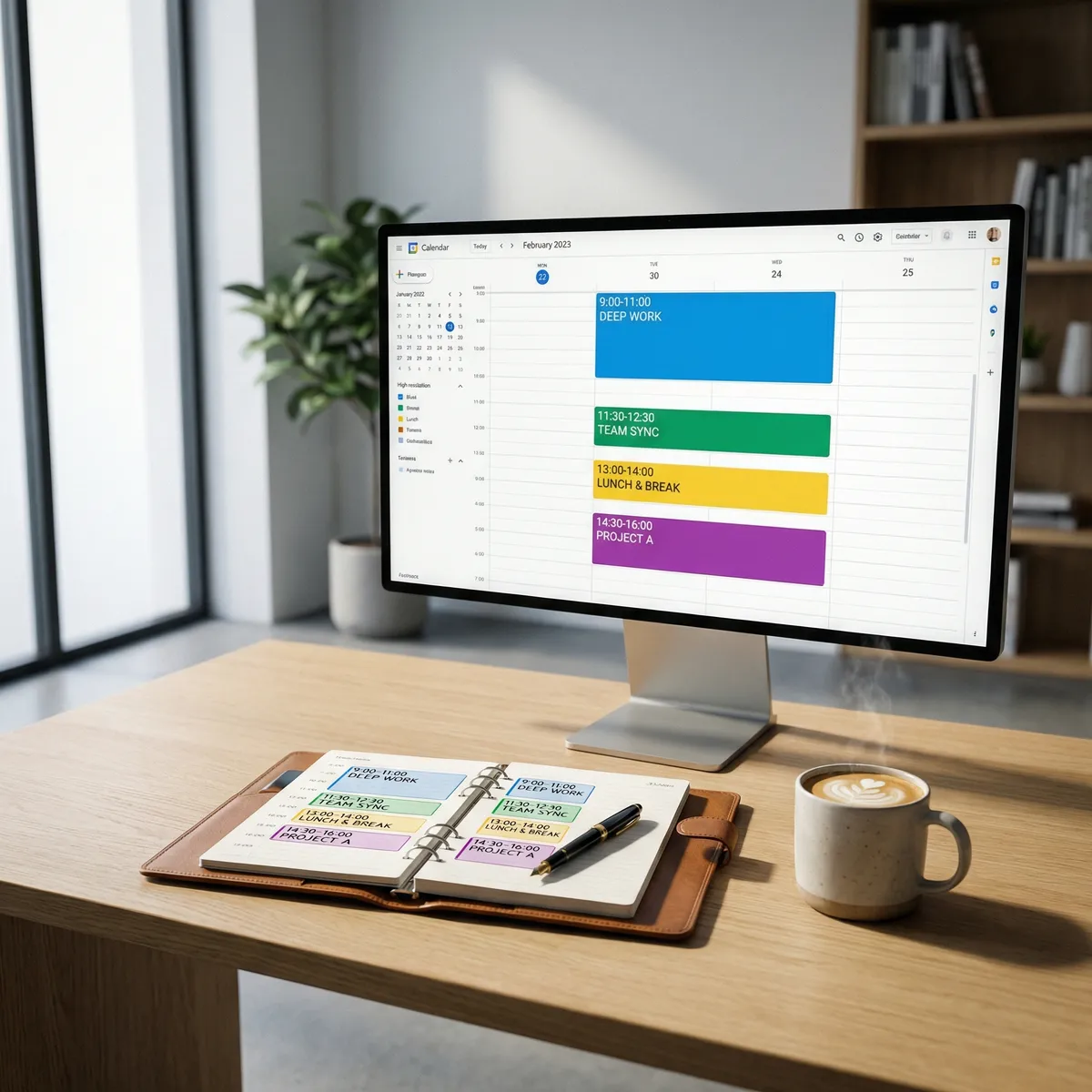
Step 3: Use Calendar Colors
Assign colors to different types of work:
- Deep work (blue)
- Meetings (red)
- Admin/email (yellow)
- Breaks (green)
This visual system lets you see at a glance if your week is balanced. If everything is red (meetings), you know you need to protect more blue (deep work) time.
Step 4: Build in Buffer Time
Don’t schedule back-to-back blocks. Leave 15-30 minutes between major tasks for:
- Overruns (because things take longer than expected)
- Transitions (your brain needs time to switch contexts)
- Unexpected urgent items
A realistic schedule has breathing room. An unrealistic schedule assumes perfect execution and zero interruptions.
Step 5: Protect Your Blocks
When someone asks for a meeting during your blocked time, you say: “I’m not available then. How about [alternative time]?”
You don’t need to explain that you’re “just working.” Your calendar says you’re busy. That’s enough.
If you keep letting people book over your blocks, time blocking doesn’t work. The whole point is protecting focus time.
Common Mistakes and How to Fix Them
Mistake 1: Blocking Too Much
You block 8 hours of deep work per day, then feel like a failure when you only complete 3 hours.
Fix: Start with 2-3 hours of deep work per day. That’s realistic. The rest of your day is meetings, email, admin, and buffer time.
Mistake 2: Not Adjusting When Plans Change
You blocked 2 hours for a report, but an urgent client issue came up. Now your entire day is thrown off and you abandon time blocking.
Fix: Reschedule, don’t abandon. Move the report block to tomorrow. Adjust the rest of today’s blocks. Time blocking is flexible, not rigid.
Mistake 3: Treating All Tasks as Equal
You block 1 hour for “work on project” without specifying what part of the project or what outcome you’re aiming for.
Fix: Be specific. “Draft introduction section of proposal” is better than “work on proposal.” Specificity creates clarity and momentum.
Mistake 4: No Theme Days
Every day looks the same: a little bit of everything, mastery of nothing.
Fix: Try theme days. Monday is writing day. Tuesday is meetings day. Wednesday is deep work day. This reduces context switching and increases flow.
Time Blocking Templates
The Classic 9-5 Block
9:00-9:30 AM: Planning and email review
9:30-11:30 AM: Deep work block 1
11:30 AM-12:00 PM: Email processing
12:00-1:00 PM: Lunch
1:00-3:00 PM: Deep work block 2
3:00-3:30 PM: Break and email
3:30-4:30 PM: Meetings or collaborative work
4:30-5:00 PM: Shutdown routine (plan tomorrow, clear inbox)
The Early Bird Block
6:00-8:00 AM: Deep work (before anyone else is awake)
8:00-9:00 AM: Breakfast and email
9:00-12:00 PM: Meetings and collaborative work
12:00-1:00 PM: Lunch
1:00-2:30 PM: Admin and email
2:30-3:00 PM: Planning and review
The Night Owl Block
10:00 AM-12:00 PM: Meetings and email
12:00-1:00 PM: Lunch
1:00-2:00 PM: Admin tasks
2:00-5:00 PM: Deep work block
5:00-6:00 PM: Dinner break
6:00-9:00 PM: Deep work block 2 (when everyone else has logged off)
Tools That Make Time Blocking Easier
You don’t need special software. Your existing calendar app works fine. But if you want dedicated tools:
Reclaim.ai automatically schedules your tasks and habits around meetings. It moves blocks when conflicts arise.
Morgen combines calendar, tasks, and scheduling in one interface. Good for people who want everything in one place.
FlowSavvy turns your to-do list into a time-blocked calendar automatically. You estimate how long tasks take, and it schedules them.
Sunsama focuses on daily planning with time blocking. It’s more manual but encourages intentional scheduling.
Most people don’t need these. Google Calendar or Outlook Calendar with color coding works perfectly.
Your First Week Challenge
Try this for one week:
Sunday evening:
- Block your entire week
- Schedule deep work during peak energy hours
- Use colors to categorize blocks
- Build in buffer time
Each morning:
- Review today’s blocks
- Adjust if needed (but don’t delete deep work blocks)
- Start the first block on time
Each evening:
- Review what worked and what didn’t
- Adjust tomorrow’s blocks if needed
- Plan any new blocks for the rest of the week
After one week, you’ll know if time blocking fits your work style. Most people who try it properly never go back to reactive scheduling.
The Real Benefit
Time blocking doesn’t give you more hours. It gives you more control over the hours you have.
Instead of reacting to whatever seems urgent, you’re proactive about what’s important. Instead of hoping you’ll find time for deep work, you’ve already scheduled it. Instead of ending the day wondering where the time went, you know exactly what you accomplished.
The busiest people aren’t productive because they work more hours. They’re productive because they protect the hours they have. Time blocking is how you do that.